

Guides / Export and share
Time-lapse and music
Export a replay of your painting taking shape, cropped vertical for phones, with music scored from the way you painted it.
A time-lapse replays your painting stroke by stroke, in the order you painted it. Paint a few strokes.
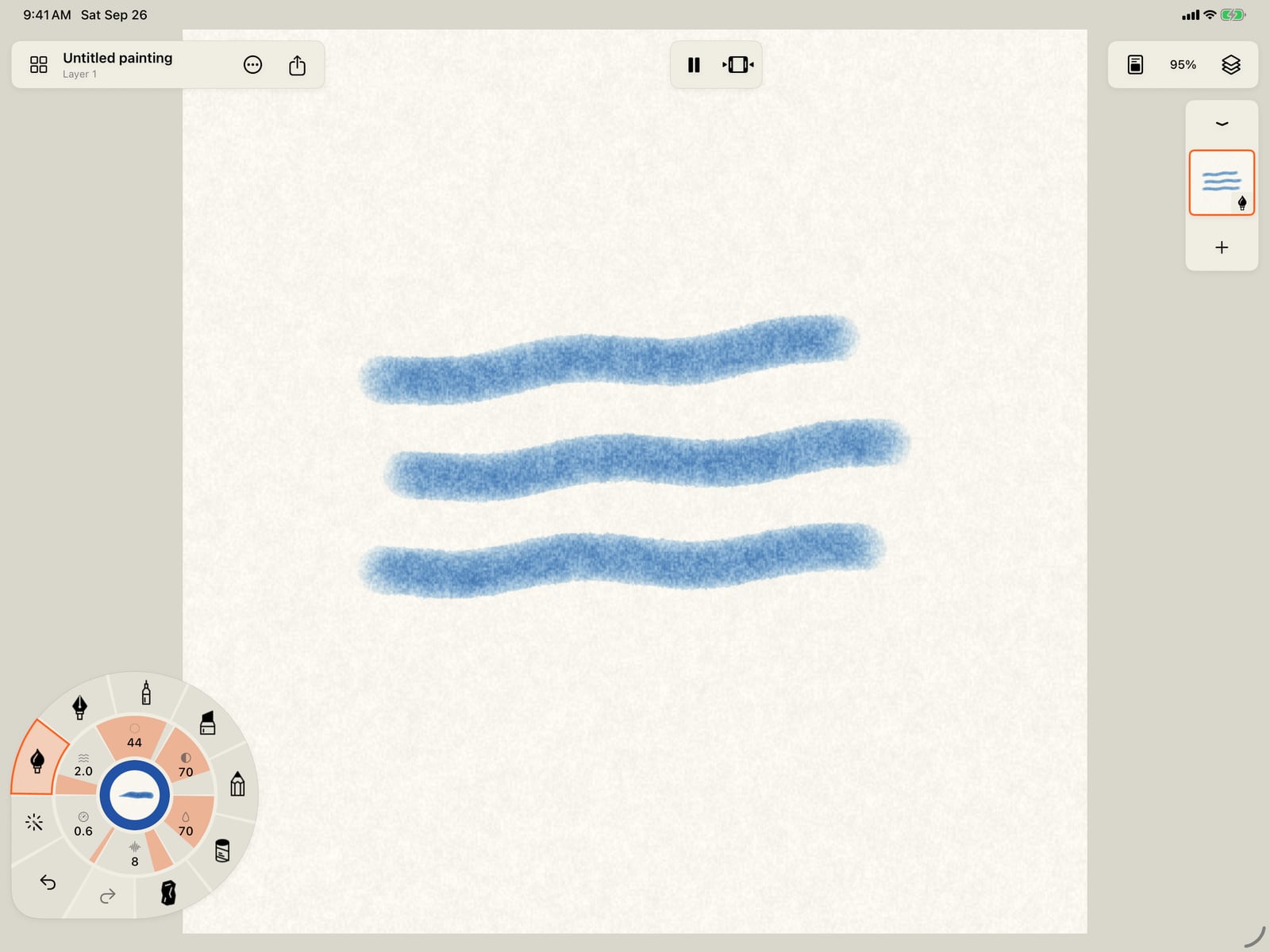
A time-lapse replays your painting stroke by stroke, in the order you painted it. Paint a few strokes.
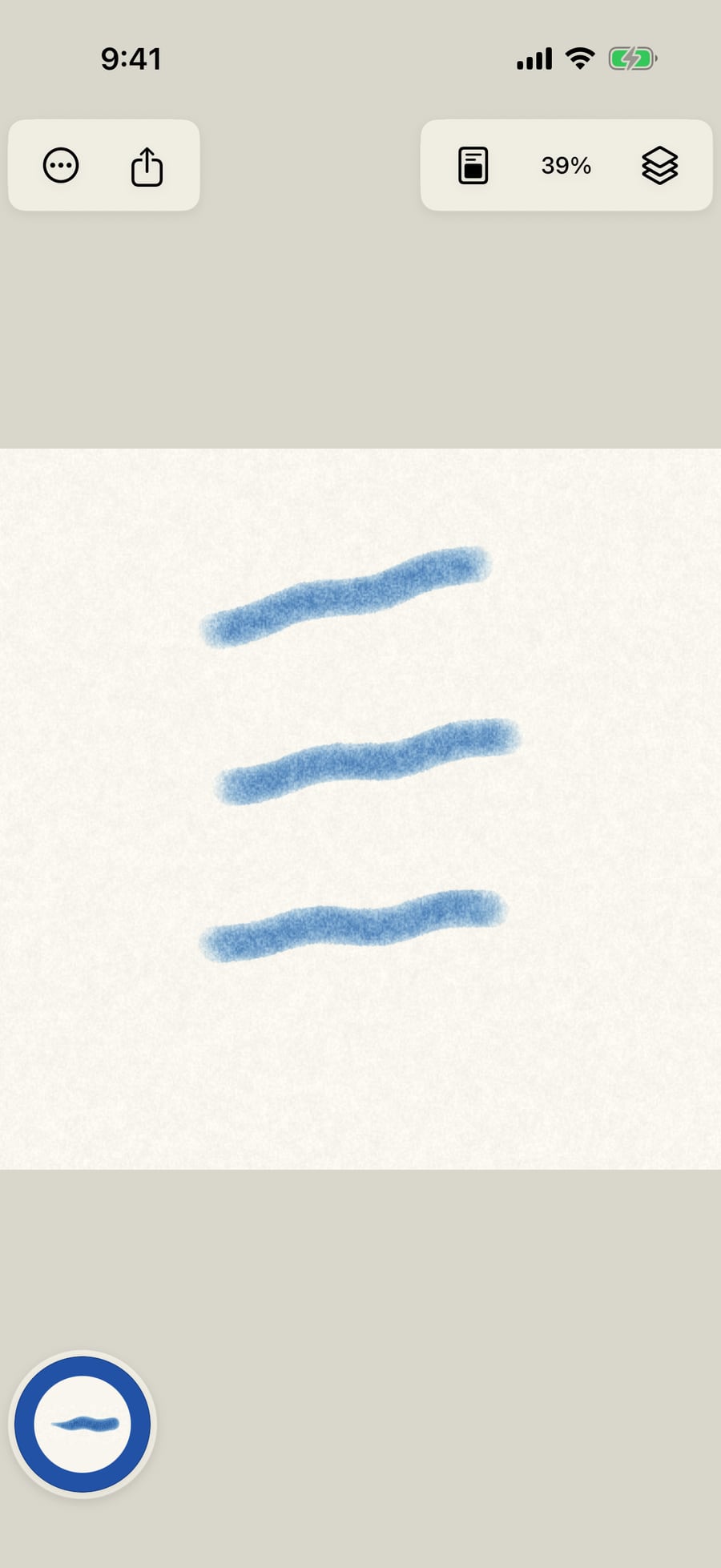
Tap Share, then Export, then Format. Time-lapse is one of the formats.
Tap Share, then Export, then Format. Time-lapse is one of the formats.
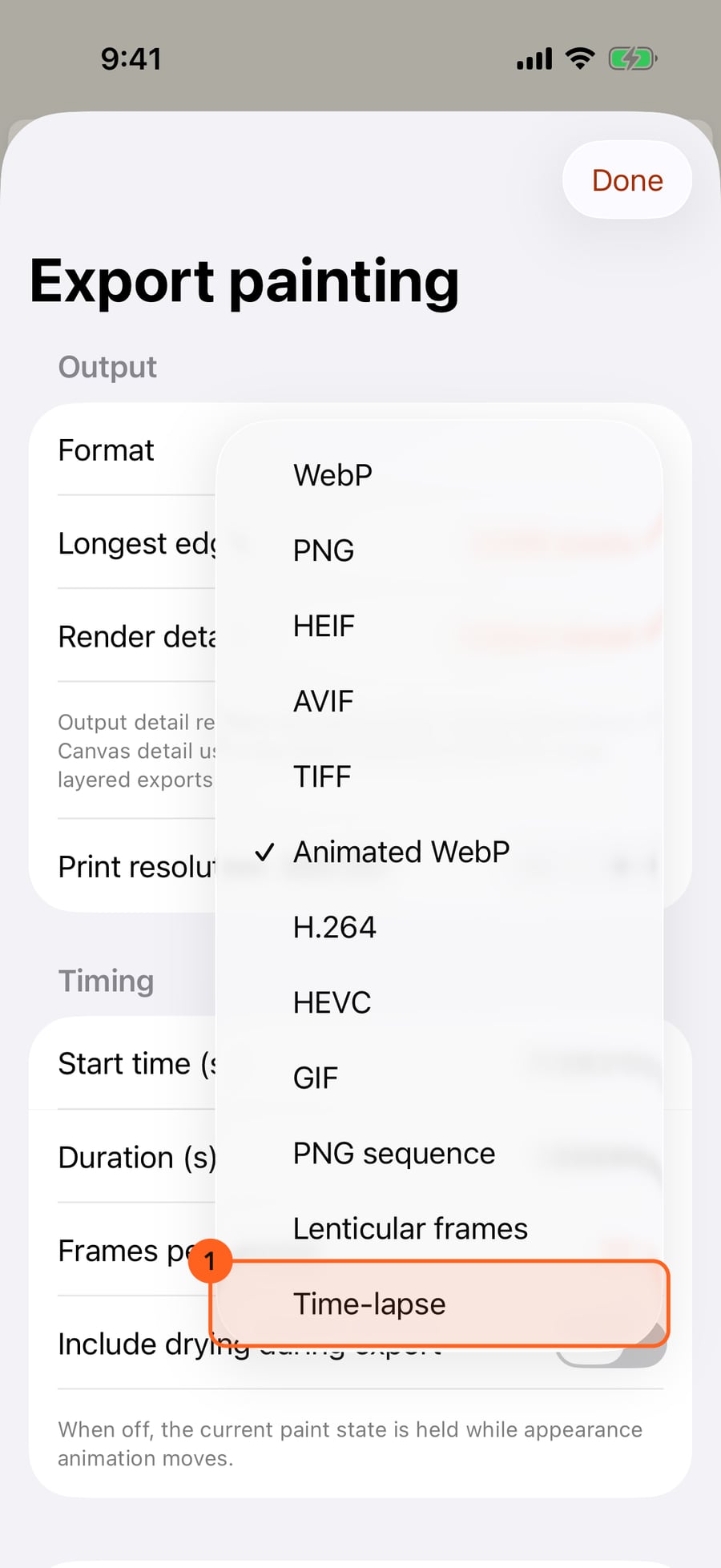
Click Share, then Export, then Format. Time-lapse is one of the formats.
Choose Time-lapse. Its Music section adds two switches, for music under the replay and a vertical crop.
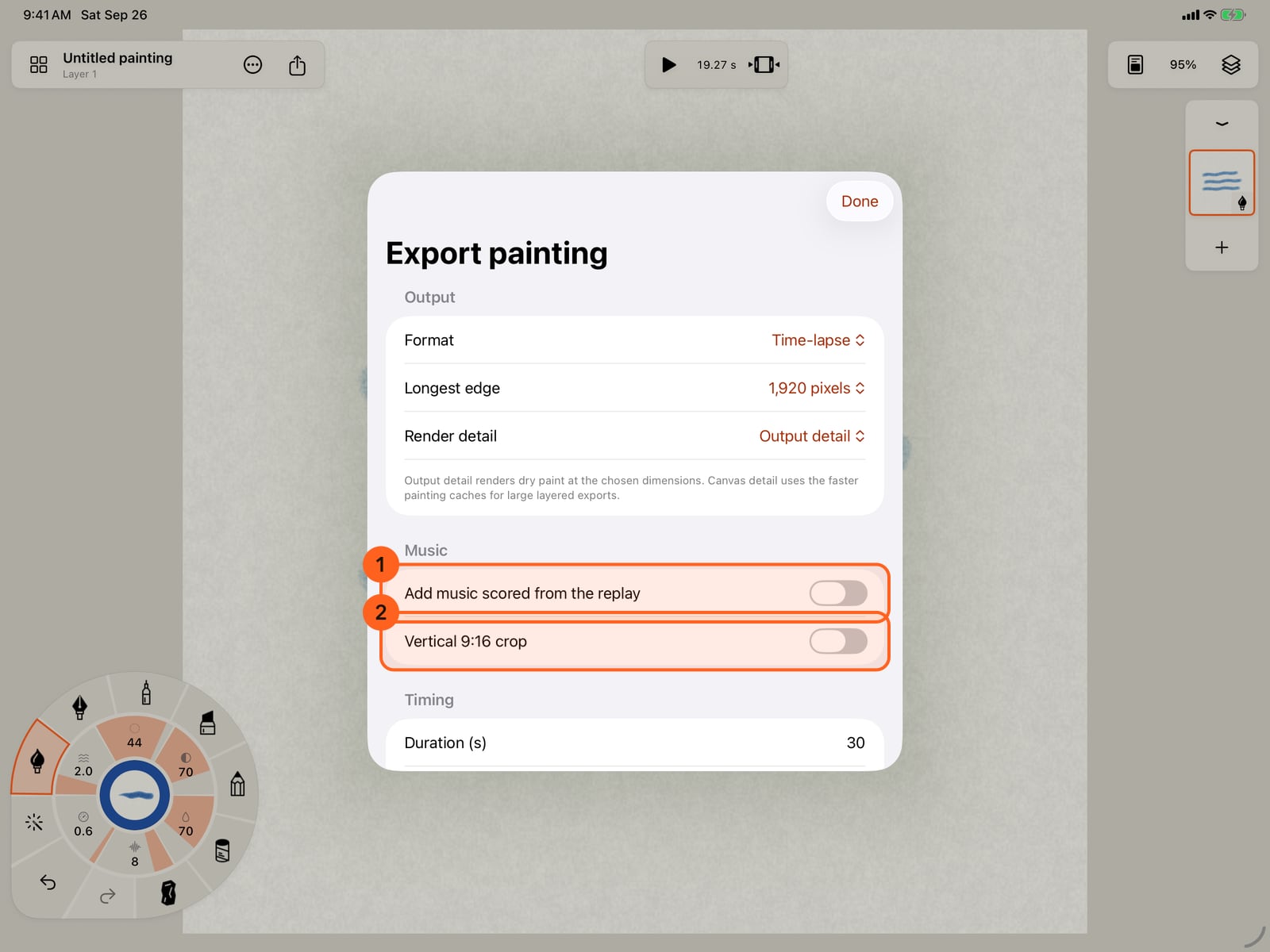
Choose Time-lapse. Its Music section adds two switches, for music under the replay and a vertical crop.
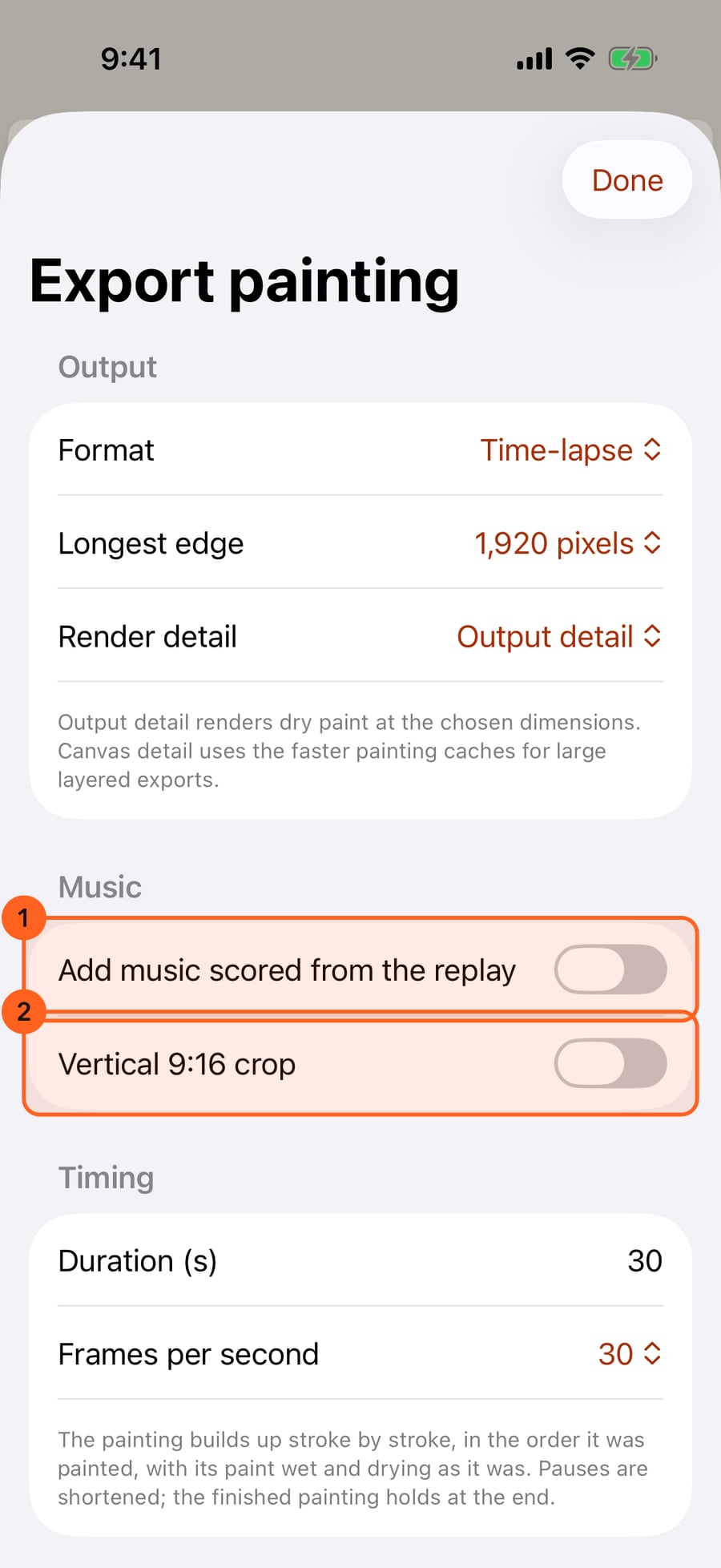
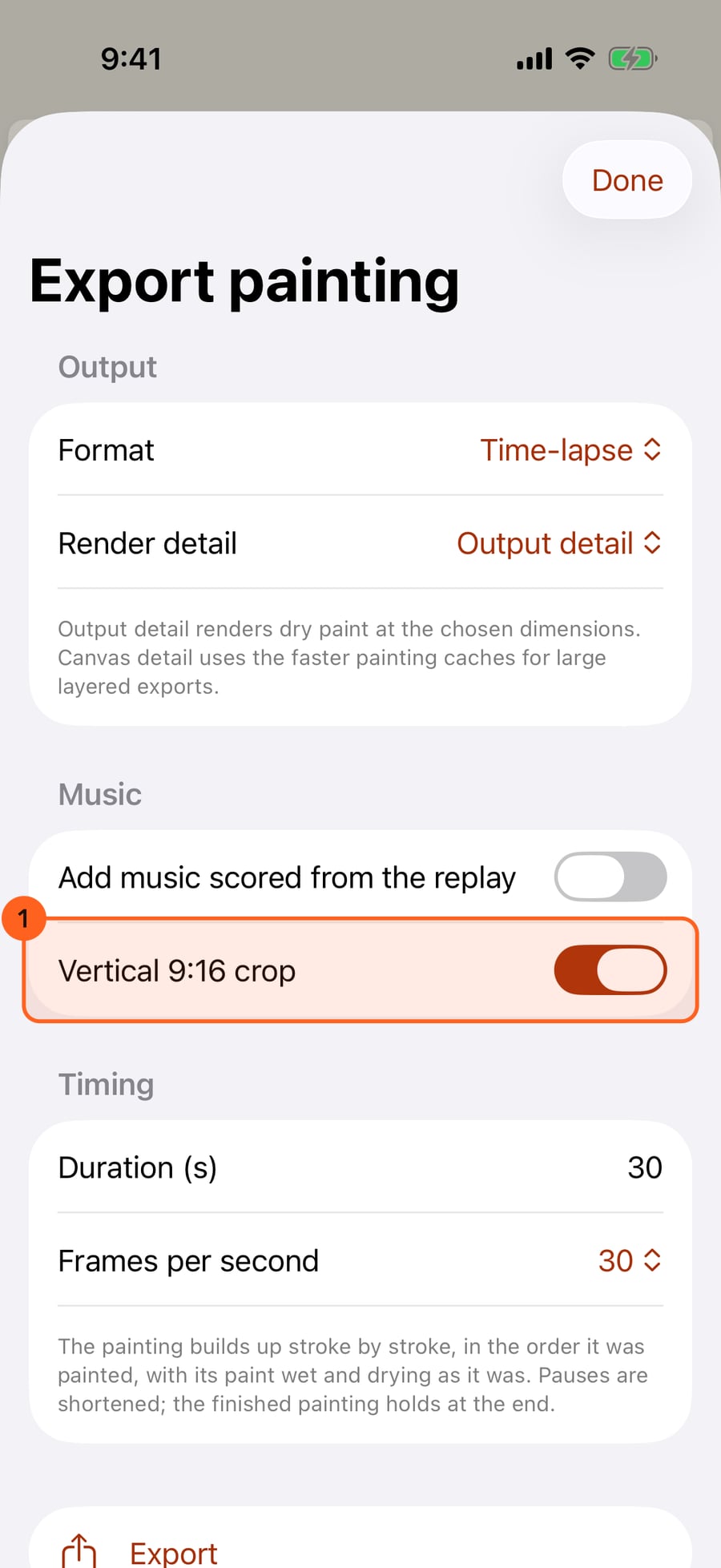
Turn on Vertical 9:16 crop for a 1080 by 1920 centre crop, the shape of video on a phone. The size choice goes away, since a vertical time-lapse is always that size.
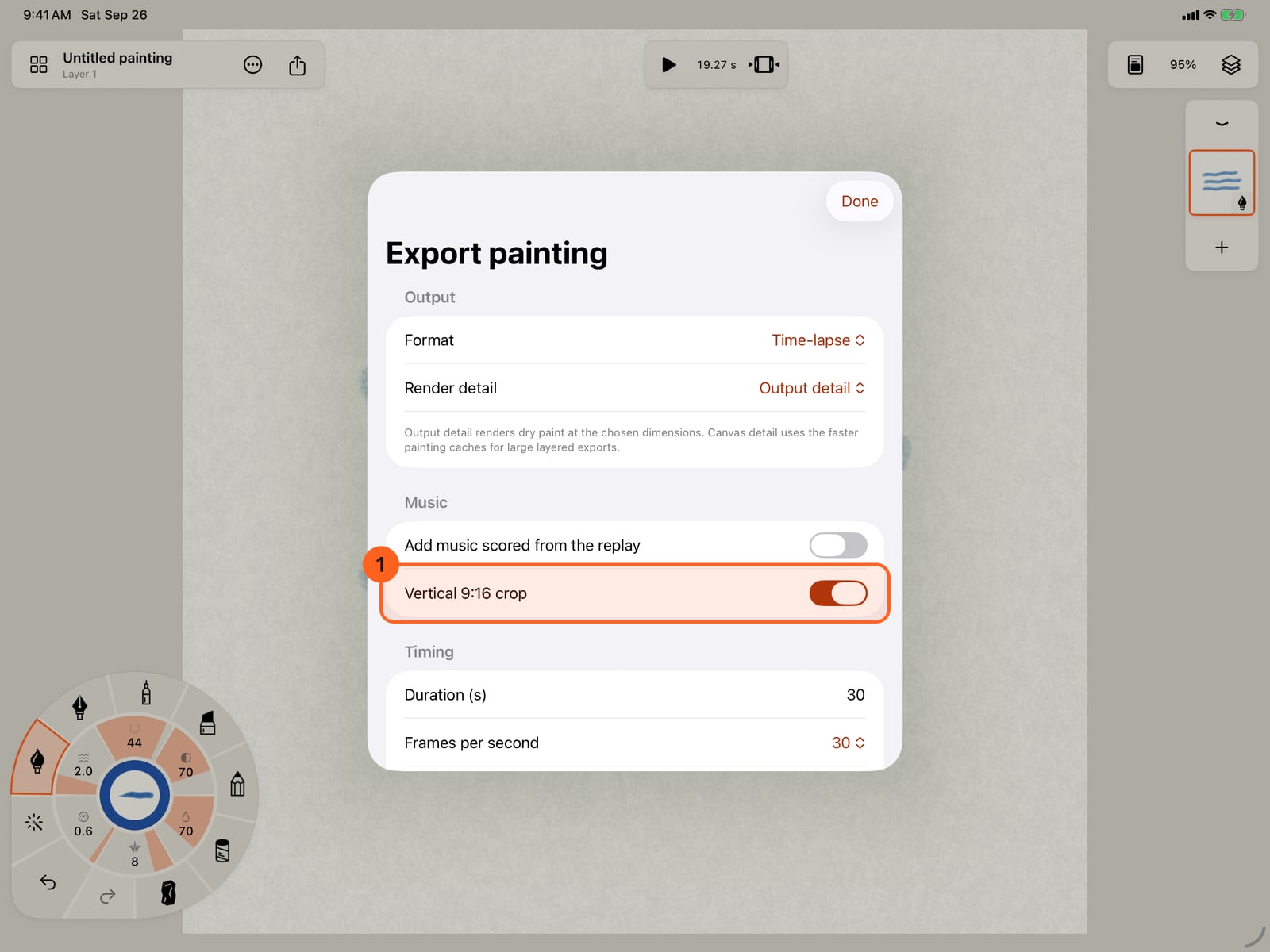
Turn on Vertical 9:16 crop for a 1080 by 1920 centre crop, the shape of video on a phone. The size choice goes away, since a vertical time-lapse is always that size.
Turn on Add music scored from the replay. The score follows the order and pace of your strokes, in a style and mood you choose. Tap Style.
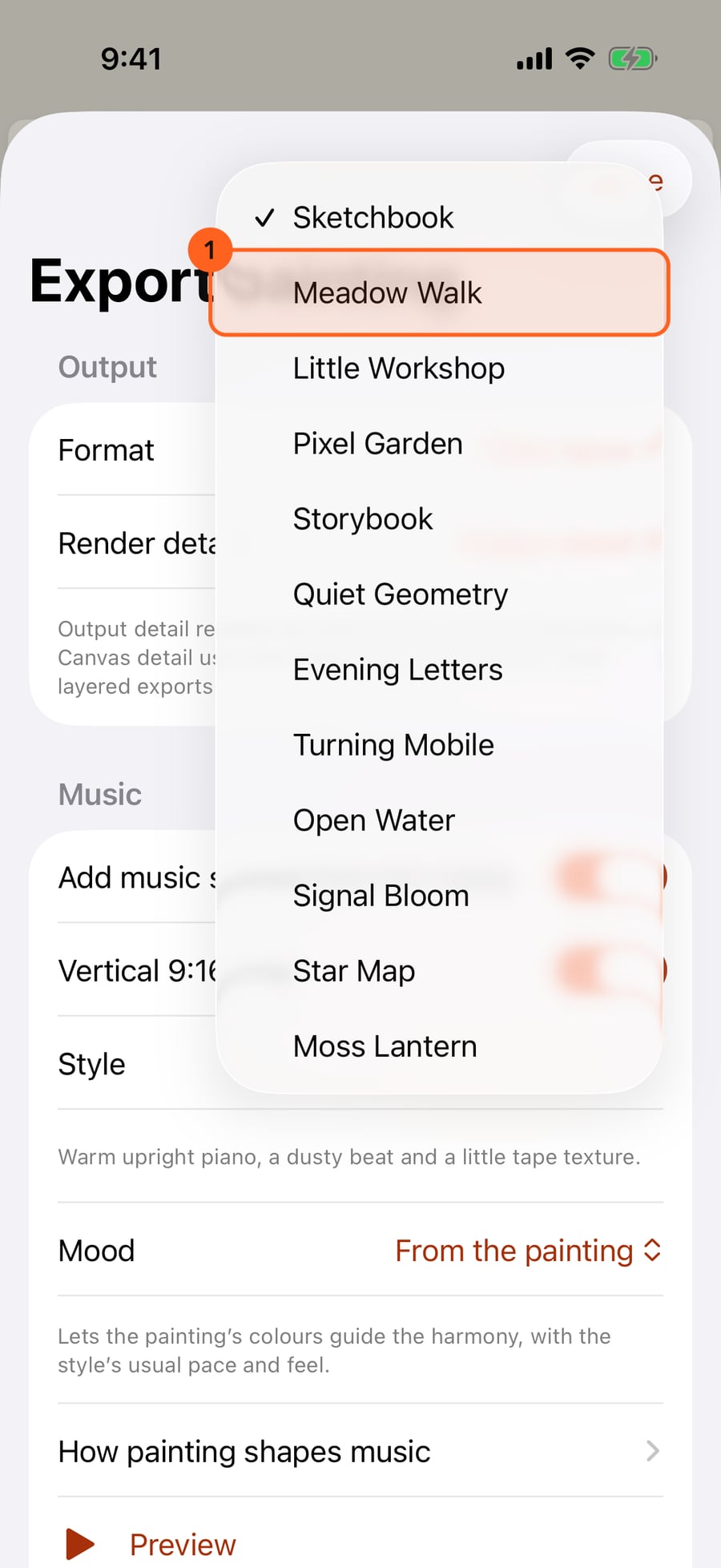
Turn on Add music scored from the replay. The score follows the order and pace of your strokes, in a style and mood you choose. Tap Style.
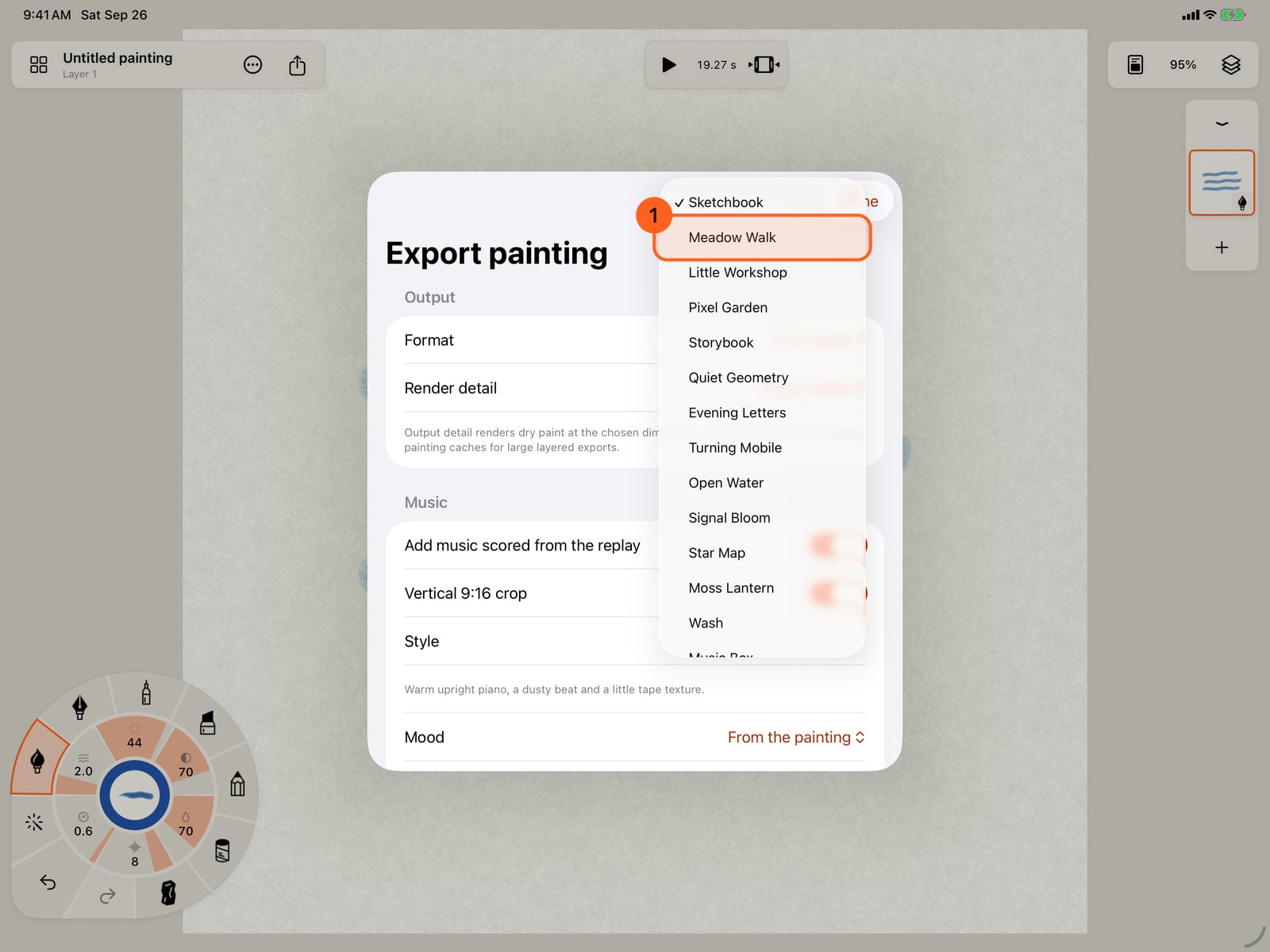
Turn on Add music scored from the replay. The score follows the order and pace of your strokes, in a style and mood you choose. Click Style.
Choose a style, here Meadow Walk, with its harp. Then tap Mood, which nudges the pace, tone and space of the music.
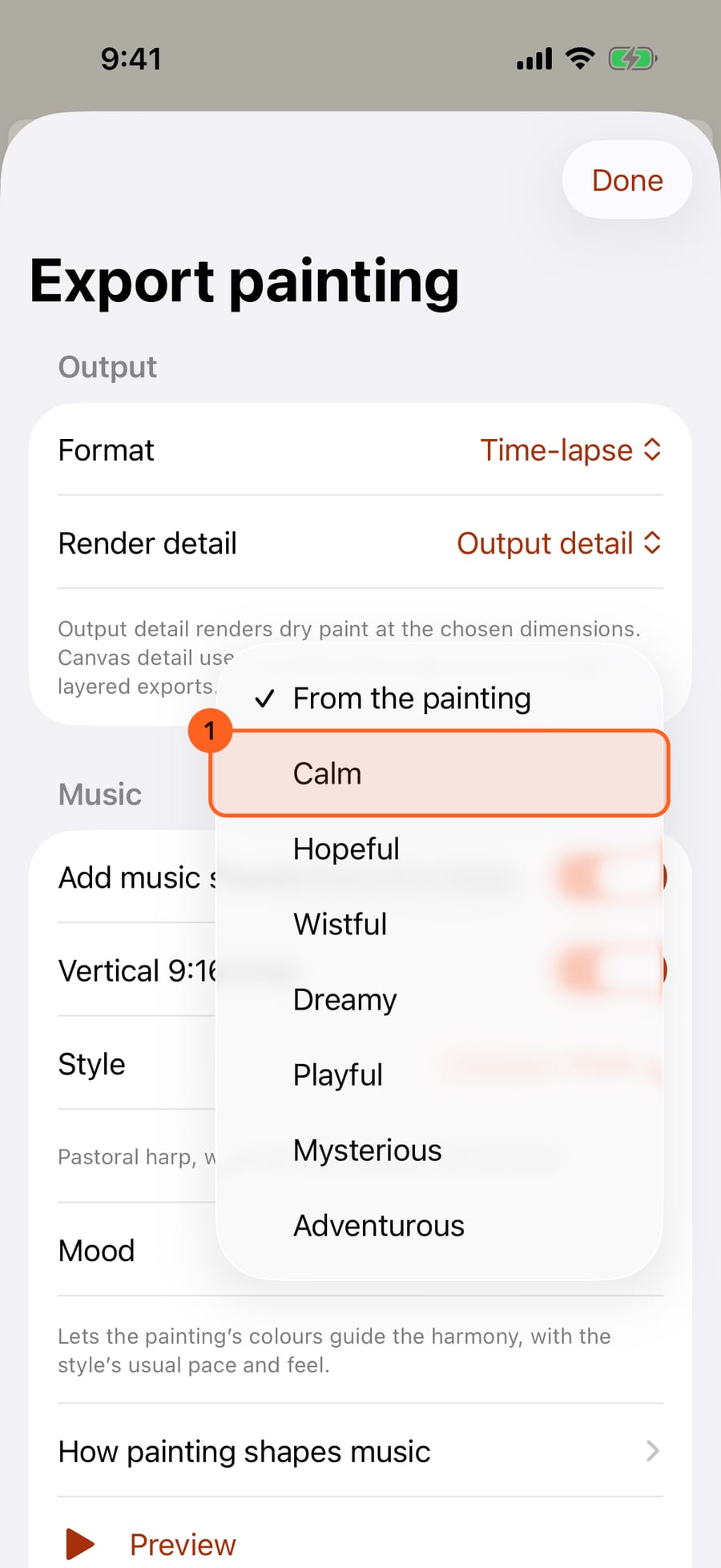
Choose a style, here Meadow Walk, with its harp. Then tap Mood, which nudges the pace, tone and space of the music.
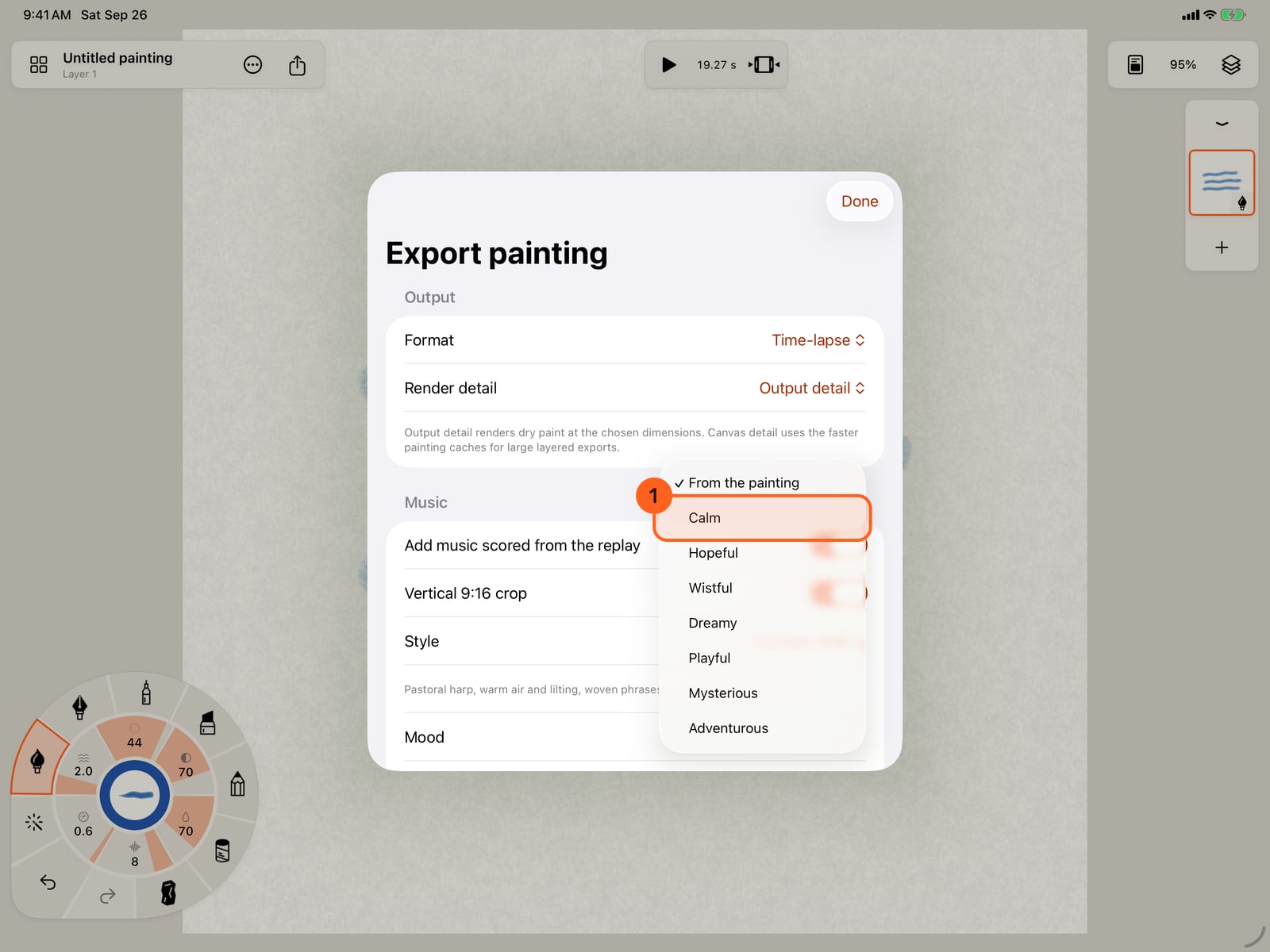
Choose a style, here Meadow Walk, with its harp. Then click Mood, which nudges the pace, tone and space of the music.
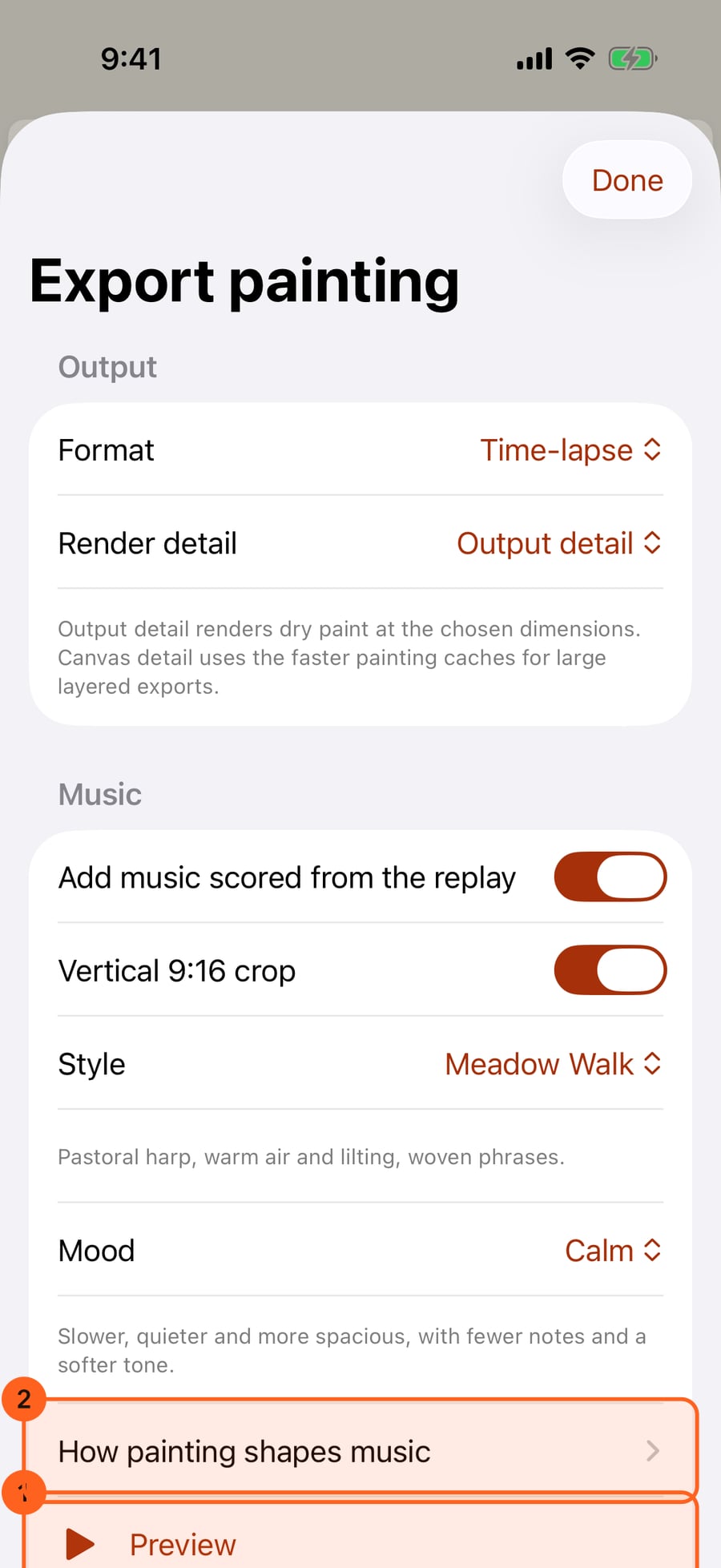
Choose Calm. Preview composes the score for this painting and plays it, and How painting shapes music explains what the painting steers.
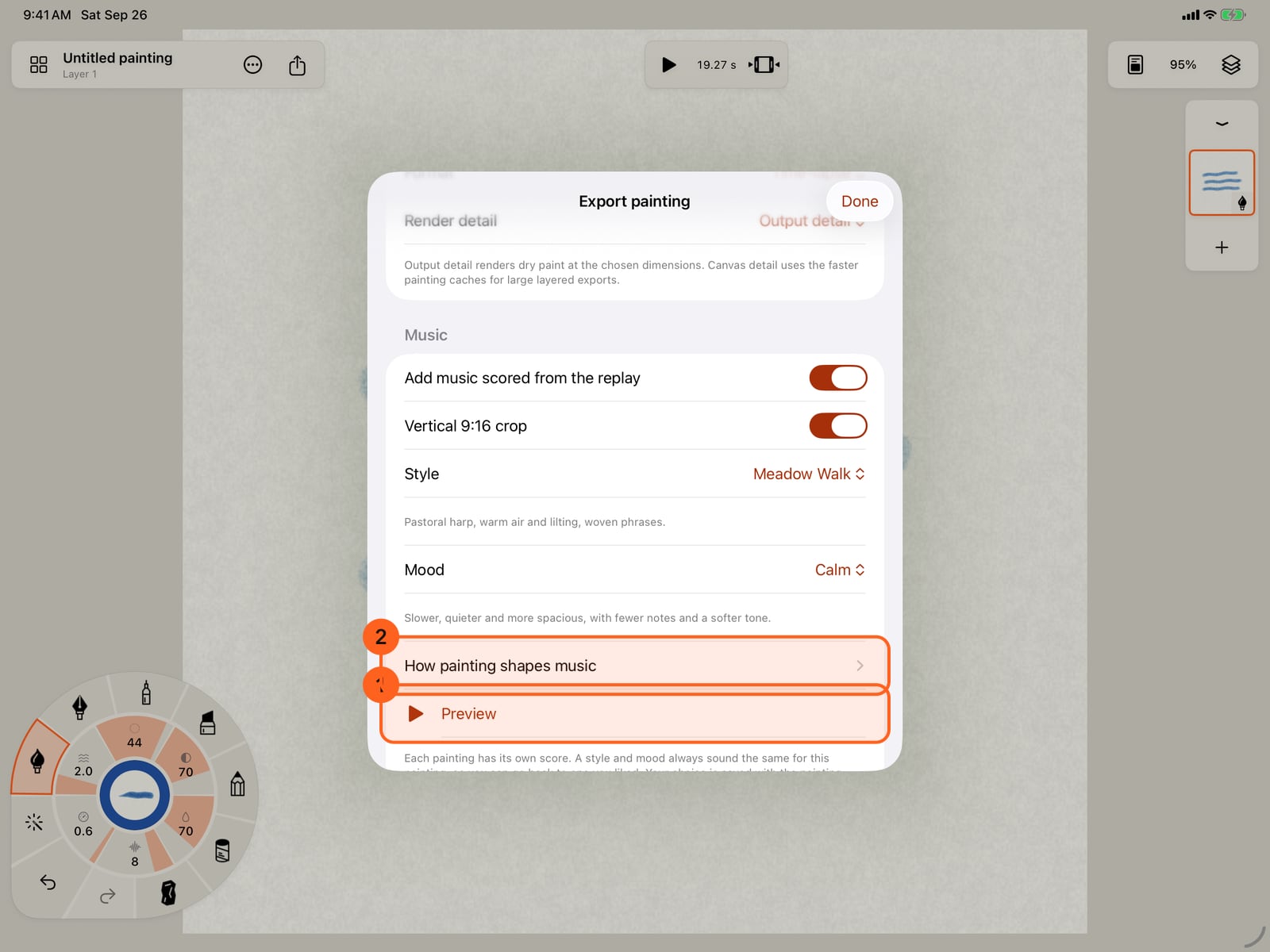
Choose Calm. Preview composes the score for this painting and plays it, and How painting shapes music explains what the painting steers.
Under Timing, set how long the time-lapse runs and its frame rate. Long pauses are shortened, and the finished painting holds at the end. Then tap Export.
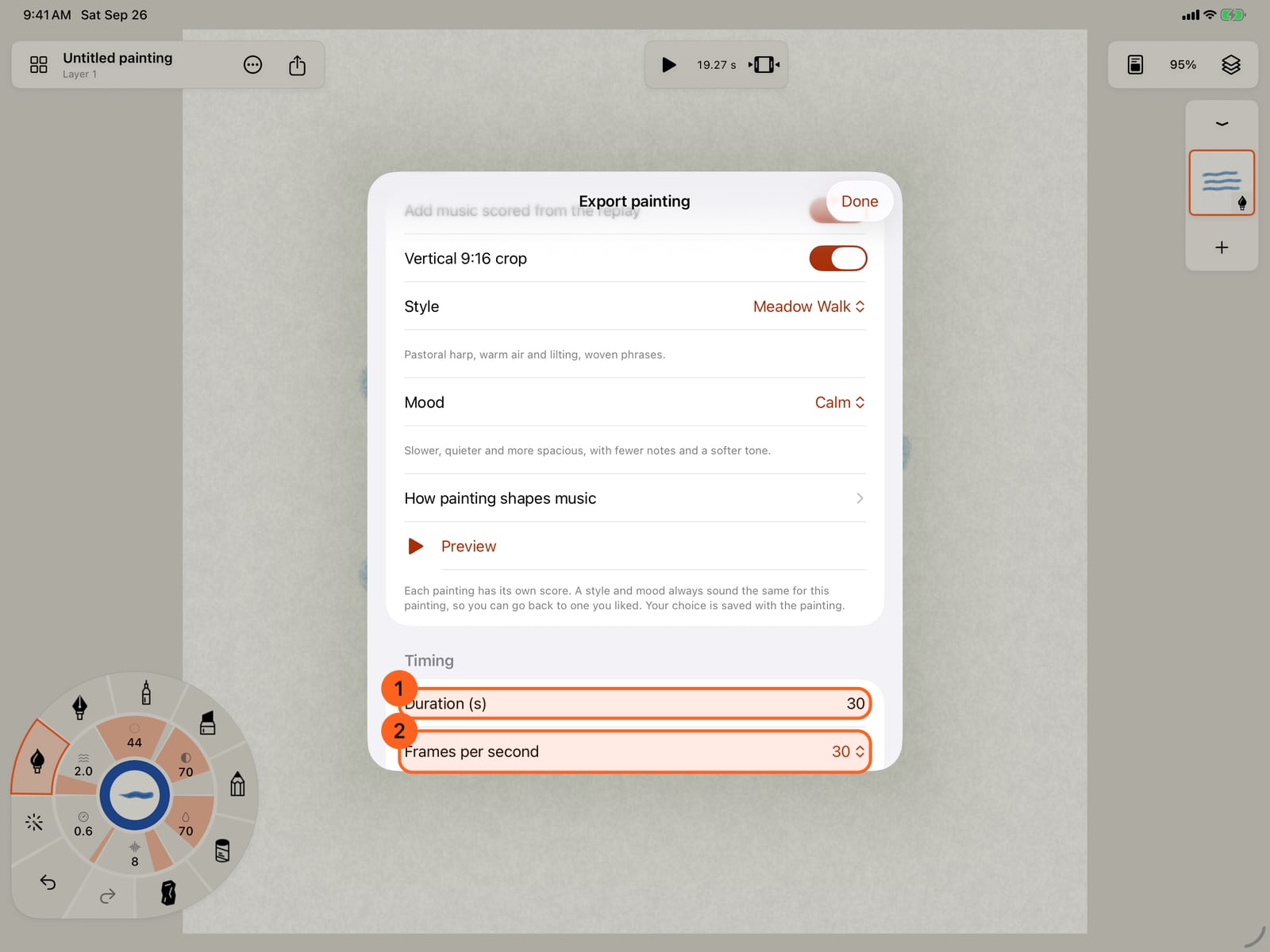
Under Timing, set how long the time-lapse runs and its frame rate. Long pauses are shortened, and the finished painting holds at the end. Then tap Export.
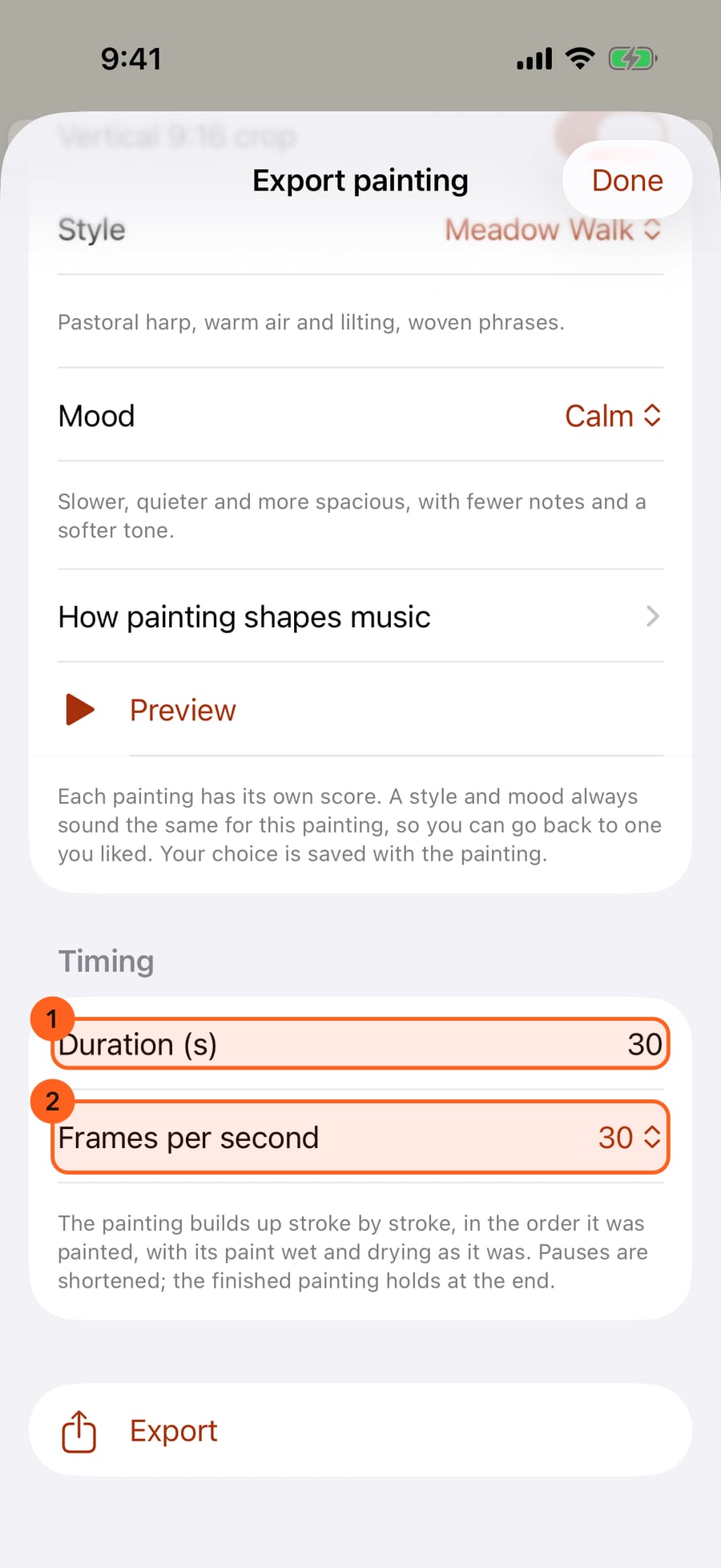
Under Timing, set how long the time-lapse runs and its frame rate. Long pauses are shortened, and the finished painting holds at the end. Then click Export.
Time-lapse
Share → Export… → Format → Time-lapse exports an MP4 video of the painting being made: stroke by stroke, in the order it was painted, with wet paint spreading and drying as it did. Pauses are shortened, and the finished painting holds at the end. Share and export covers the Export sheet as a whole.
| Option | What it does |
|---|---|
| Longest edge | The video's size in pixels. Hidden with the vertical crop. |
| Render detail | Output detail renders dry paint at the chosen size; Canvas detail uses the faster painting caches, for large layered paintings. |
| Add music scored from the replay 1 | Puts a score under the video, composed from the replay. |
| Vertical 9:16 crop 2 | A 1080 × 1920 centre crop, for phones and social video. |
| Duration in seconds | How long the time-lapse runs, up to 90 seconds. |
| Frames per second | 12, 24, 30, 50 or 60. |
Music under the replay
With Add music scored from the replay on, the Music section offers:
| Control | What it does |
|---|---|
| Style | The instruments and arrangement, from Sketchbook's upright piano and dusty beat to Open Water's slow harp. The line under it describes the style. |
| Mood | From the painting lets the painting's colours guide the harmony. Calm, Hopeful, Wistful, Dreamy, Playful, Mysterious and Adventurous each steer the pace, tone, note lengths and space. |
| How painting shapes music | What the painting and your strokes change in the music. |
| Preview | Composes the score for this painting and plays it. Stop preview stops it. |
A time-lapse score follows the recorded sequence of strokes. Each painting has its own score: a style and mood always sound the same for that painting, so you can go back to one you liked. The choice is saved with the painting, and it's the same choice as Settings → Sound and the Soundtrack export use.
Free and Pro
| Free | Pro | |
|---|---|---|
| Time-lapse | Up to 1080 pixels, 30 seconds and 30 fps, ending on a small Made with Doodly Doodle card | Larger sizes, up to 90 seconds and 60 fps, no card |
| Vertical 9:16 crop | Yes: it counts as 1080 pixels | Yes |
| Music under the replay | No: Music under time-lapse videos is included with Pro., with Get Pro beside it | Every style |
Pro: Music scored from the replay, every score style (Glasshouse, Drone Field, Tape Choir, Jazz Corner and Pulse are Pro only), and larger, longer time-lapses without the end card. On Free you can still preview any style. Compare Free and Pro.
Something not behaving as expected?
Visit support or write to [email protected].