

Guides / Color: paint by number
Paint with steps in the Studio
In the Studio, a numbered page's numbers bar offers each number's steps as brushes, Base, Darks, Highlights and a brush that moves, to paint a number yourself.
- Free
- Everything in this guide works in Free.
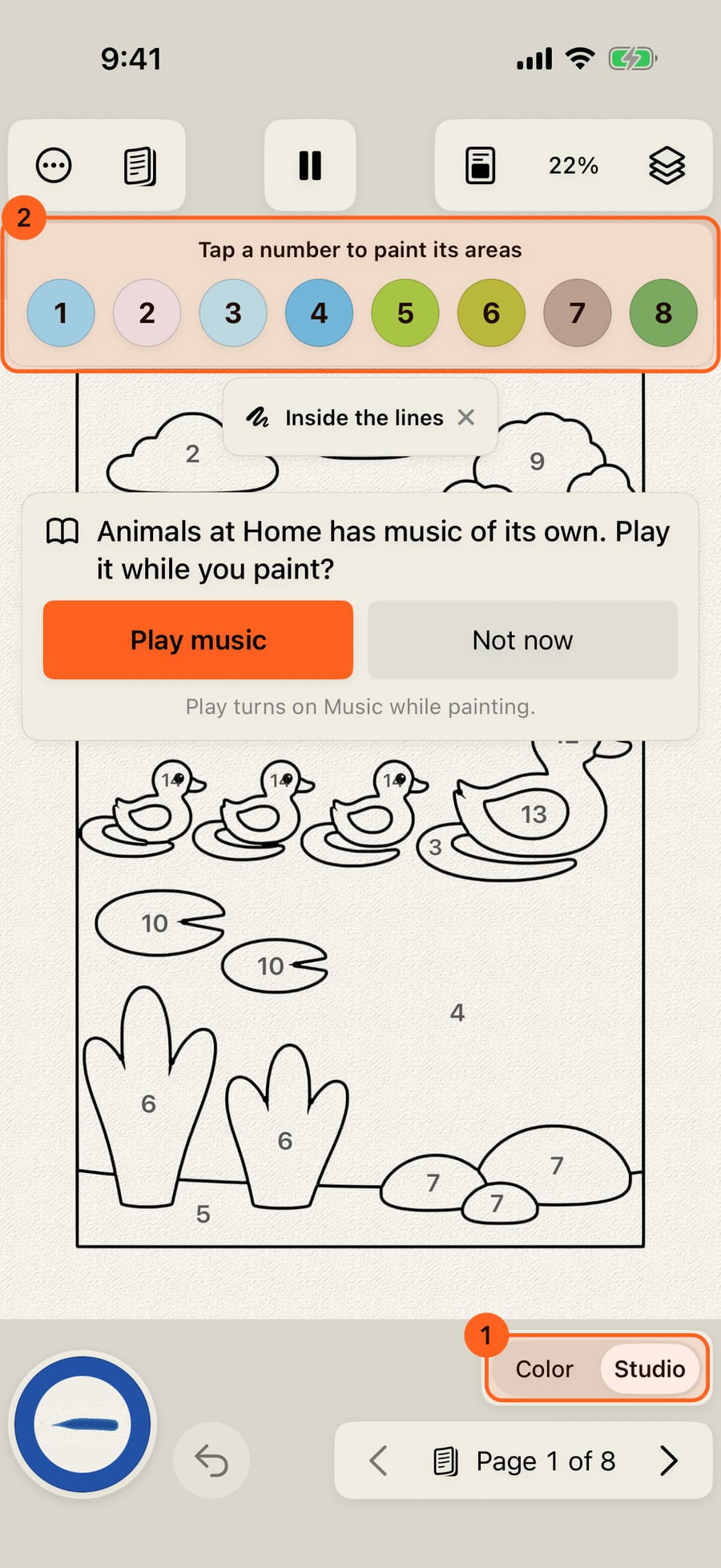
Open a book by number, then switch to the Studio. The numbers stay, in a bar above the page.
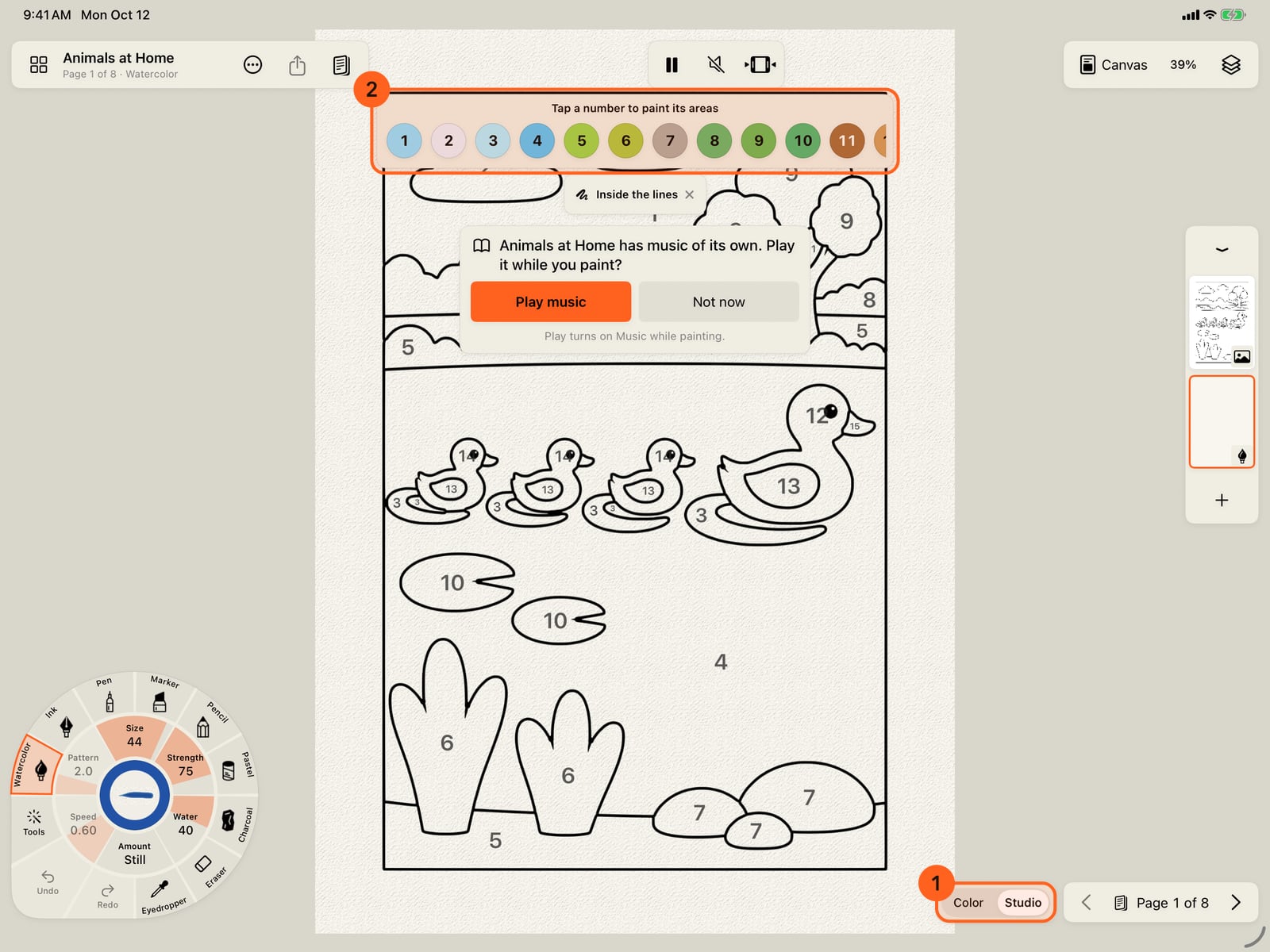
Open a book by number, then switch to the Studio. The numbers stay, in a bar above the page.
Tap a number. Its steps show beneath it, each as the mark it makes, and the first, Base, is in your hand. Here, the reeds.
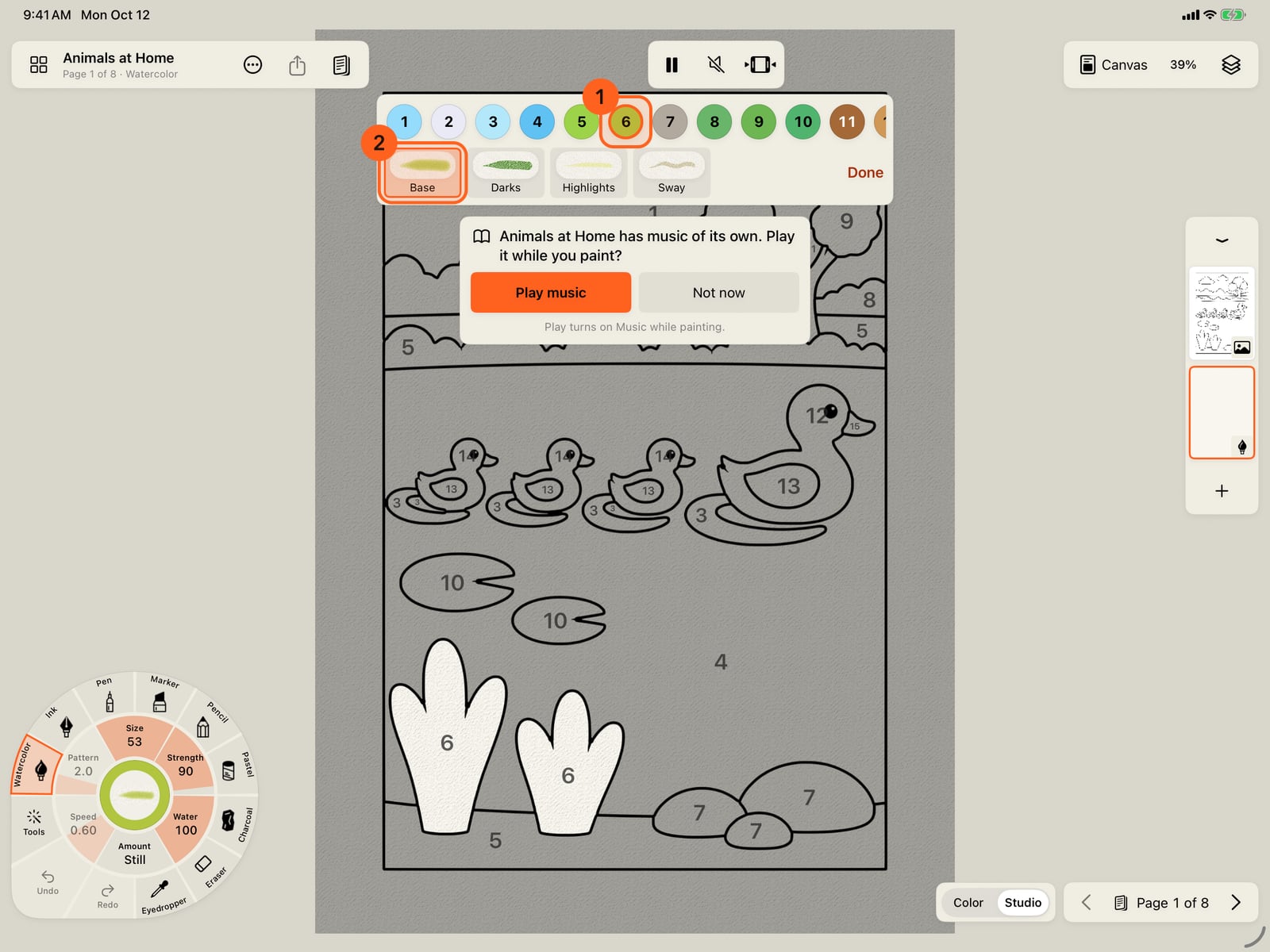
Tap a number. Its steps show beneath it, each as the mark it makes, and the first, Base, is in your hand. Here, the reeds.
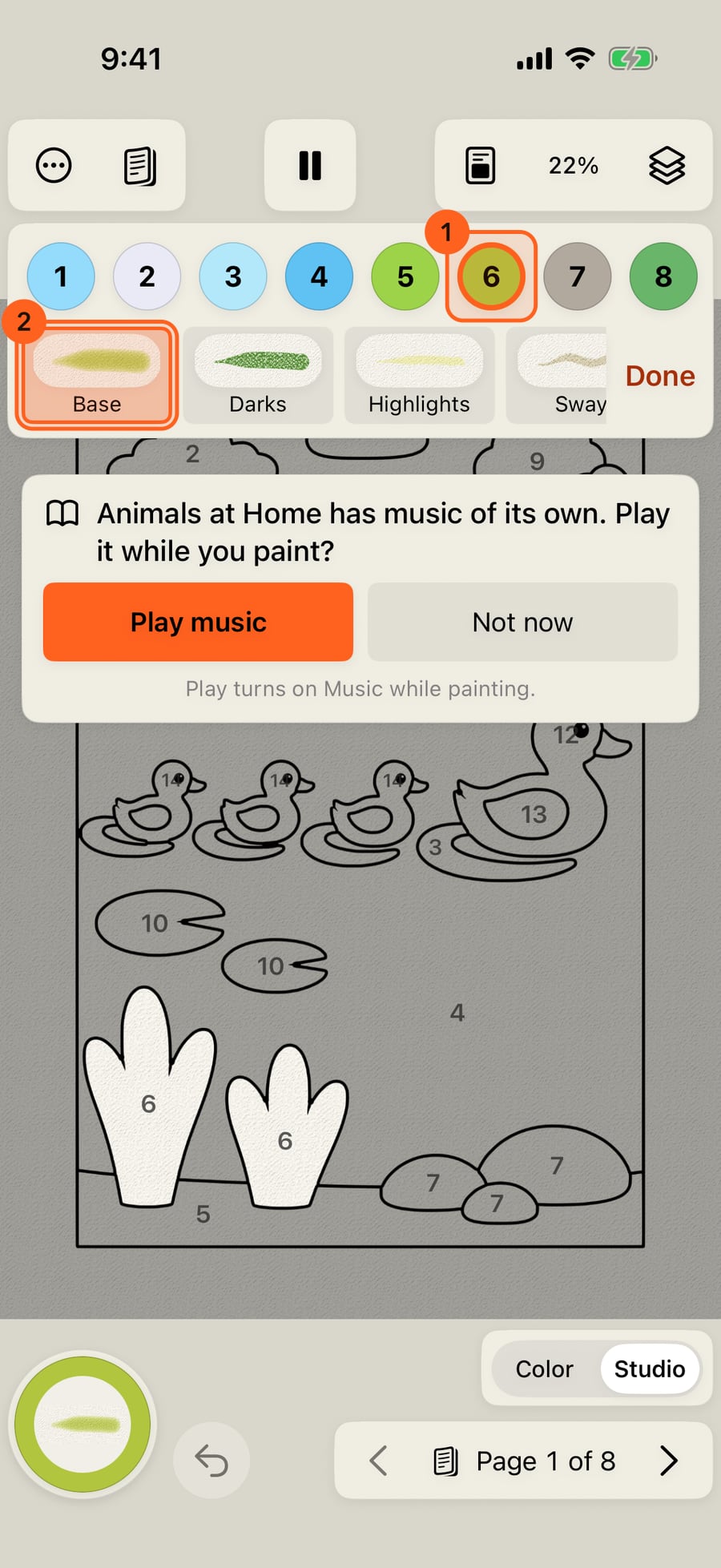
Click a number. Its steps show beneath it, each as the mark it makes, and the first, Base, is in your hand. Here, the reeds.
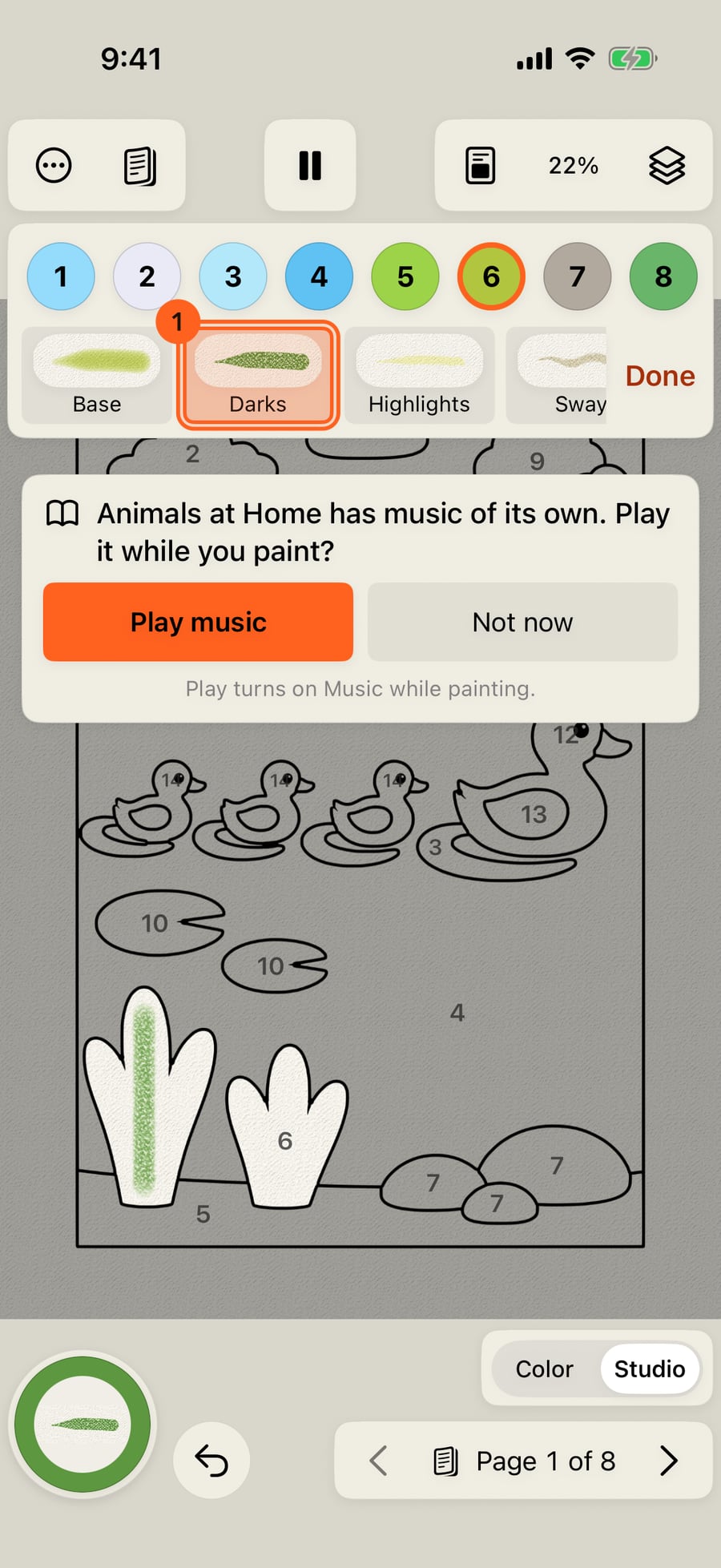
Darks is a deeper colour with a drier brush, for shadows and texture over the base. Paint down a reed. Every stroke stays inside the number's areas.
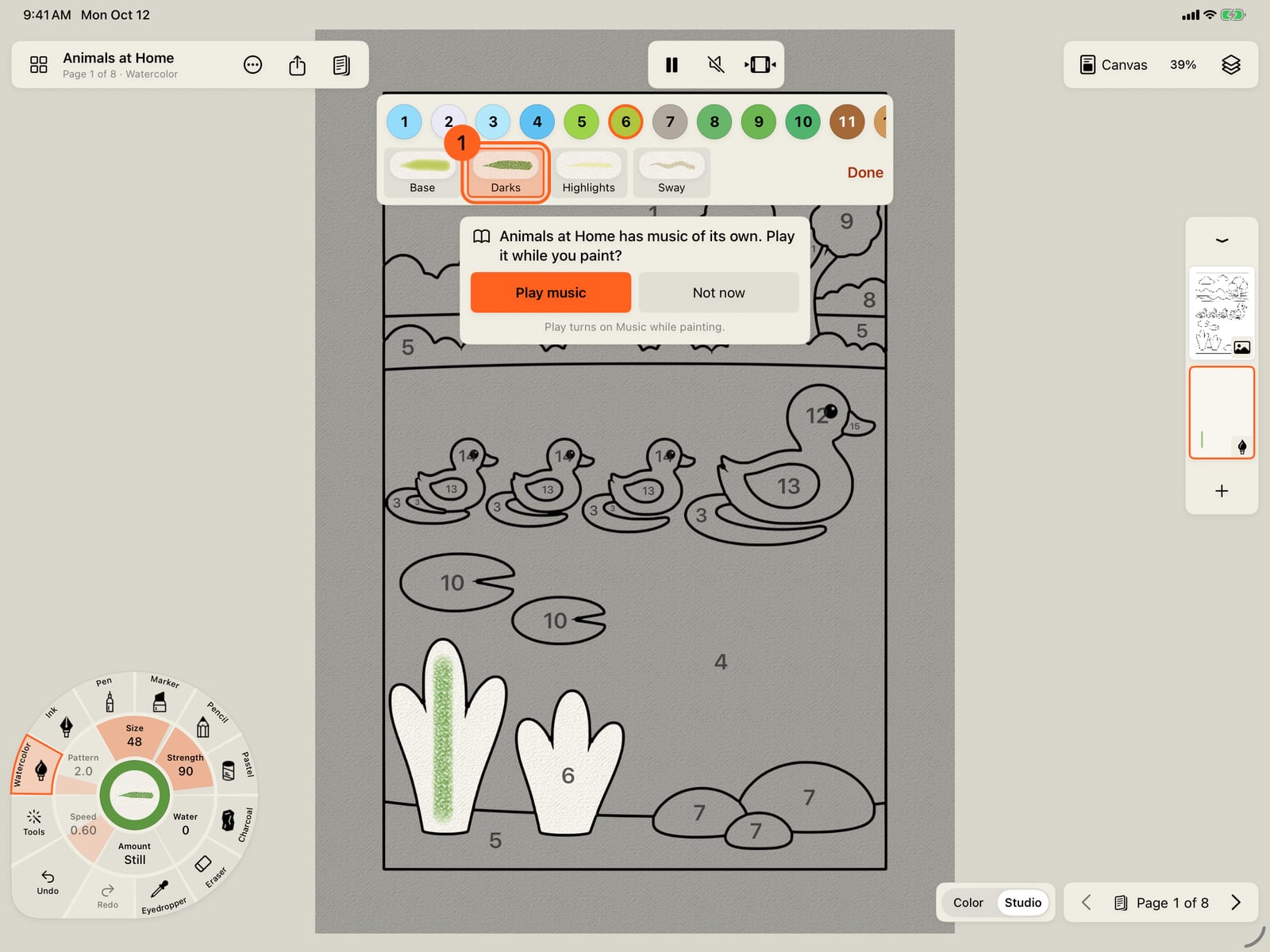
Darks is a deeper colour with a drier brush, for shadows and texture over the base. Paint down a reed. Every stroke stays inside the number's areas.
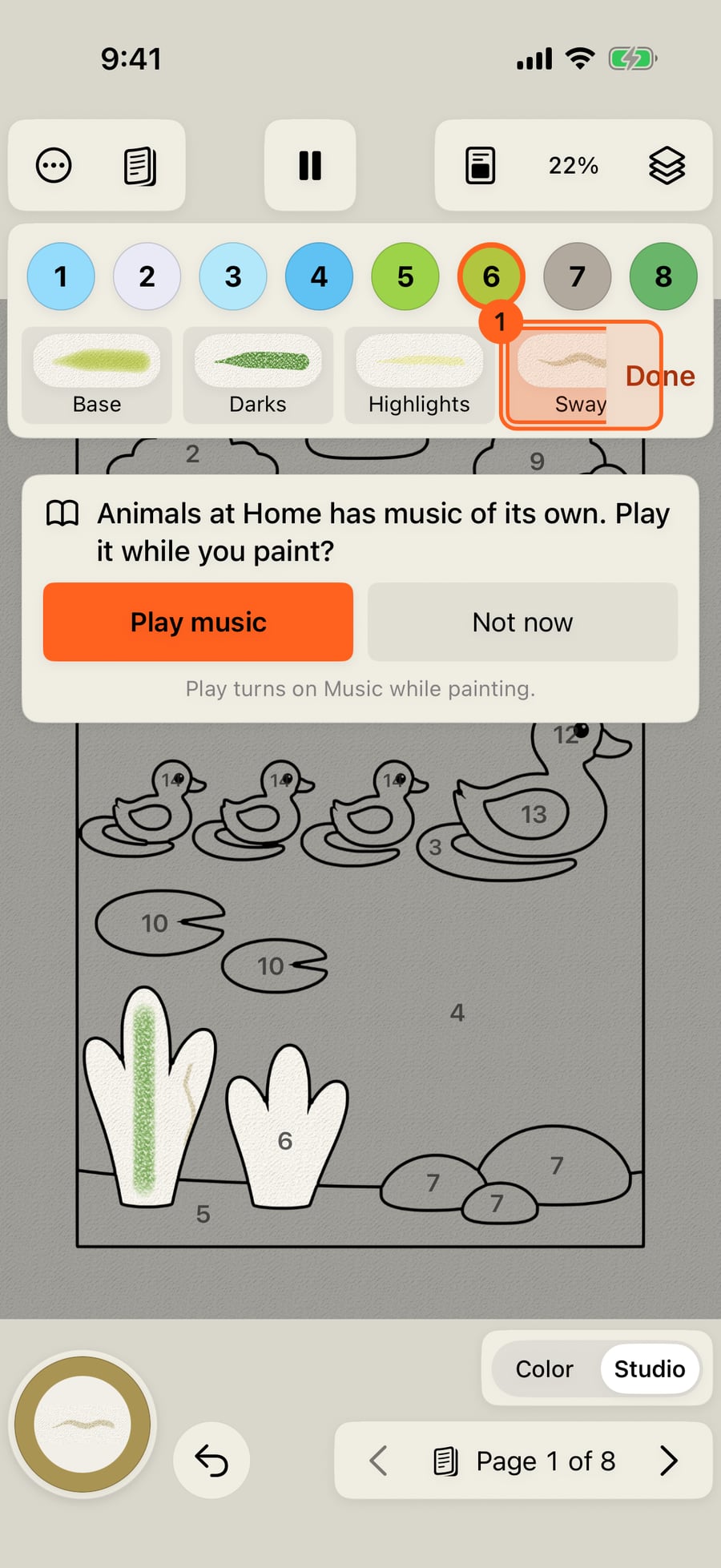
The last step is a brush that moves, and its preview moves too. Here it is Sway, so the reeds keep swaying after you lift the pen.
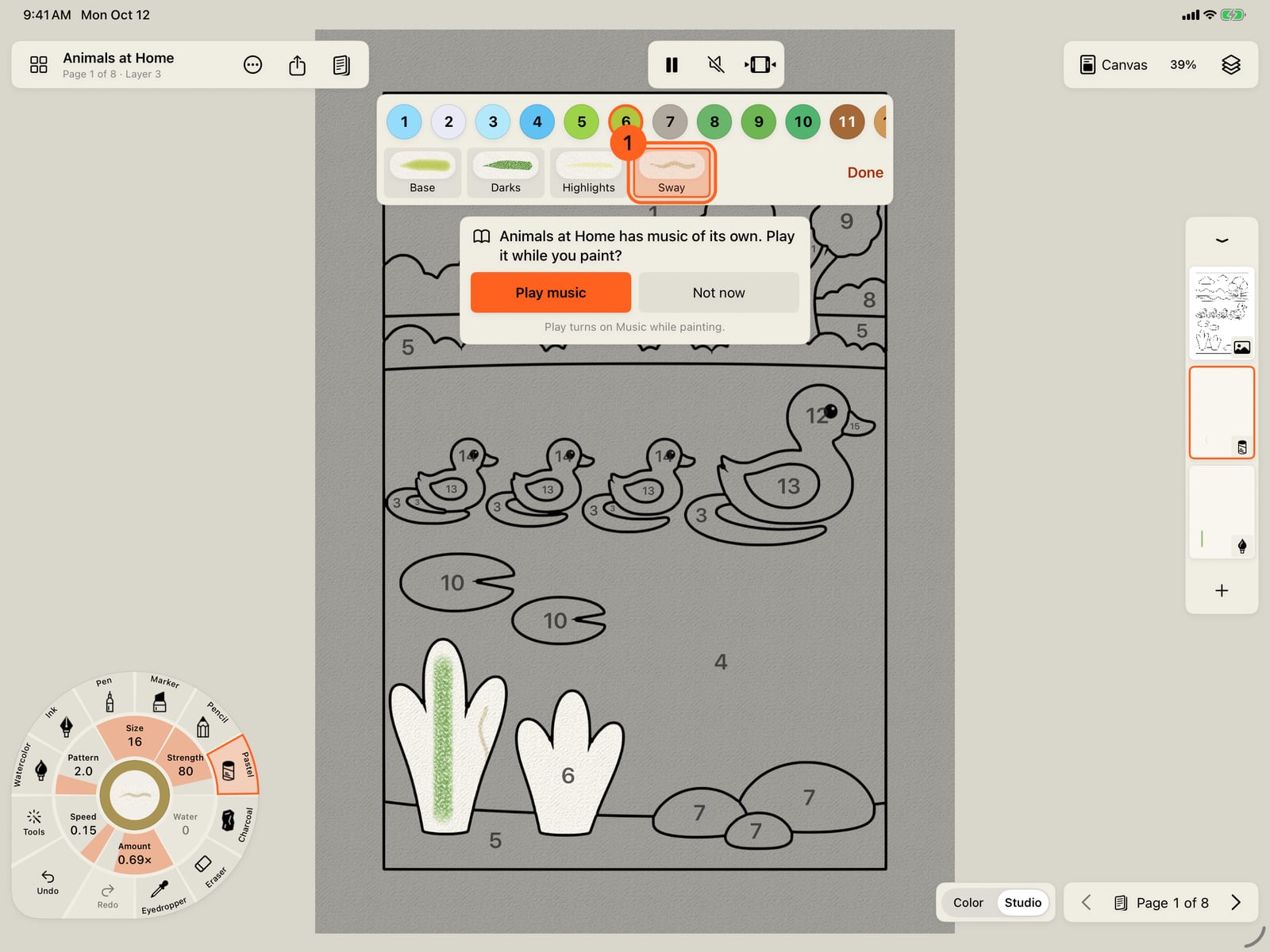
The last step is a brush that moves, and its preview moves too. Here it is Sway, so the reeds keep swaying after you lift the pen.
Steps
A number is more than one colour. In Color a tap paints a whole area in, all its steps at once; in the Studio you paint them yourself. Switch with Color · Studio 1: the numbers stay, in a bar above the page 2. Tap a number 1: its areas are chosen, and its steps show beneath it 2, each as the mark it makes. Each sets the brush and the colour together:
- Base: the area's colour, in a brush that covers.
- Darks: a deeper shade and a finer or drier brush, for shadow and texture.
- Highlights: a lighter tint, usually a pastel, for where the light falls. On a sky the third step is Clouds.
- A brush that moves: named for what it does, and moving in its preview. Ripples on water, Sway in grass and reeds, Rustle in leaves, Flame and Embers in fire, Clouds and Mist in the sky, Twinkle on gold. The paint keeps moving after you lift the pen.
Every stroke stays inside the chosen number's areas, wherever it starts, so one sweep can cross several. Size, water and the rest are on the wheel, as for any brush. A step in another medium paints on a layer of its own, which the app makes the first time and puts under the page's lines. Done lets the number go.
Paint the steps in order, as a painter would: Base first, then Darks on the side away from the light, Highlights where it falls, and the moving step last. Fill, in the Tools ring, fills a tapped area with its number's colour; Color's tap paints all the steps in for you.
Tip: The lesson Paint with steps in Learn and practise walks through each step on a real page (see Color lessons).
Every step in the app's books uses a Free brush.
Try it in the app.
Download on the App Store Free for iPad, iPhone and MacSomething not behaving as expected?
Visit support or write to [email protected].